How Do Shipping Label Printers Work?
How do shipping label printers work? Learn thermal printing, label formats, setup, and what matters most for fast, low-hassle shipping.
June 26, 2026
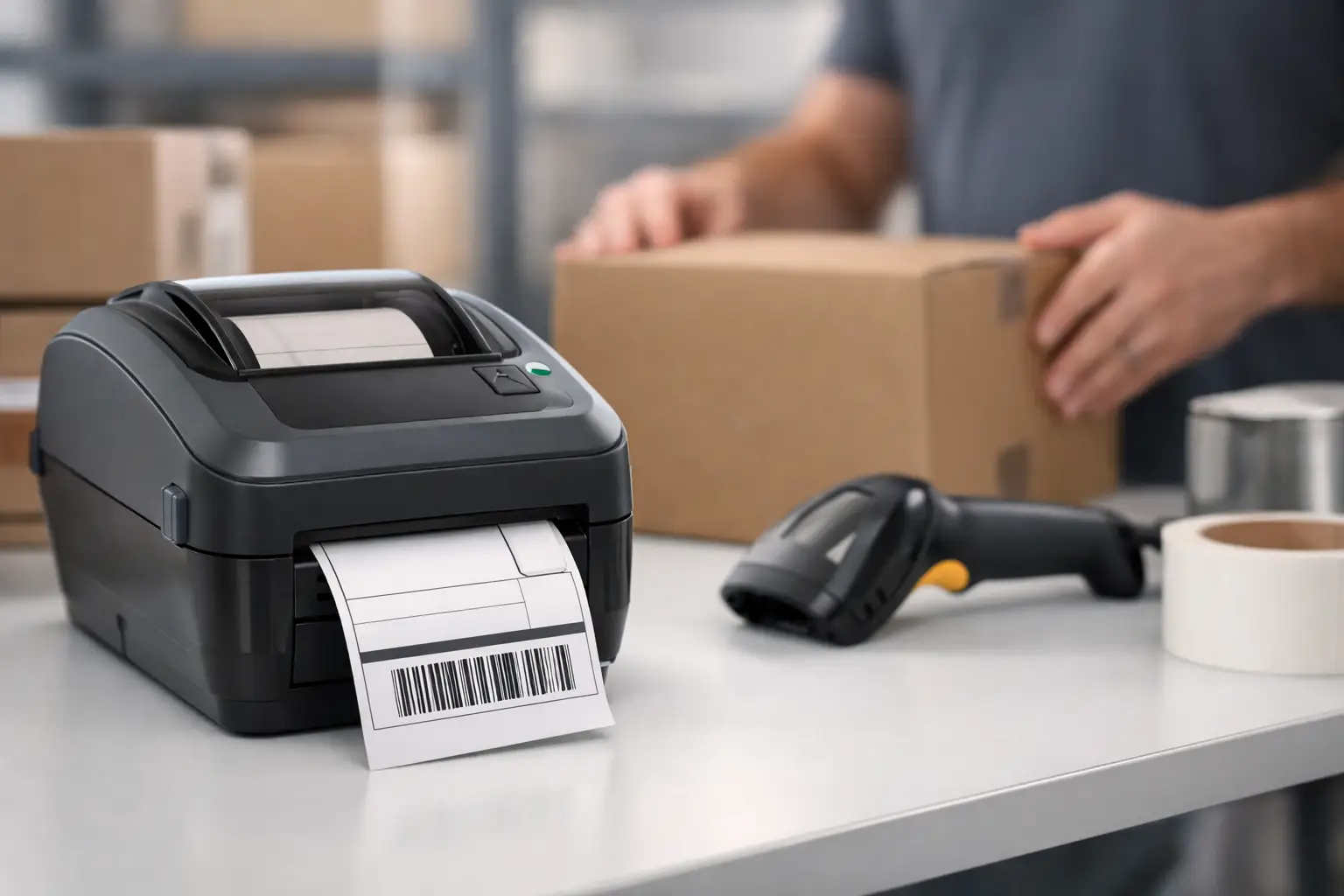
That moment when your packing table turns into a paper jam crime scene is usually when people start asking, how do shipping label printers work? Fair question. You click Buy Label, a little machine spits out a clean 4x6 sticker, and somehow USPS, UPS, or FedEx can scan it and move your package across the country. Feels simple. Under the hood, it is simple - which is exactly why label printers are so useful for busy sellers.
A shipping label printer takes digital label data from your computer, tablet, or shipping platform and puts it onto a physical label in a format carriers can read fast. That data includes the ship-to and return address, service level, tracking number, postage details, and the barcode that does most of the heavy lifting. The printer is not calculating rates or creating the label itself. Your shipping software does that part. The printer’s job is to turn the finished file into something scannable, durable, and easy to stick on a box.
How do shipping label printers work in real life?
Most shipping label printers used by ecommerce sellers are thermal printers. That means they use heat instead of ink or toner. No cartridges. No dried-out ink. No surprise office-supply bill because your printer decided to get expensive overnight.
There are two types of thermal printing: direct thermal and thermal transfer. Direct thermal is what most small and midsize shippers use for shipping labels. The printer heats specially coated label paper, and the paper turns black where the image needs to appear. That image includes text, lines, and barcodes. Thermal transfer uses a ribbon that melts ink-like material onto the label surface. It is more common when labels need to last longer or survive rough environments.
For standard parcel shipping, direct thermal usually wins because it is cheaper, simpler, and plenty reliable. A shipping label only needs to survive the trip. It does not need to look perfect five years from now in a filing cabinet.
Here’s the basic chain of events. You buy postage in your shipping software. The software generates a label file, usually sized for a 4x6 label. You send that file to the printer through USB, Wi-Fi, Bluetooth, or a network connection. The printer reads the print command, advances the label roll, applies heat in the right pattern, and feeds out the finished label. Peel it, stick it, done.
What the printer is actually printing
The most important part of a shipping label is the barcode. Humans read the address. Carrier systems read the barcode first. That barcode links the package to the tracking number and shipping service in the carrier’s system, which is why clean printing matters.
If the barcode is blurry, too light, stretched, or cut off, carriers may still process the package manually, but you are asking for delays and headaches. That is why shipping label printers are built for consistency. They are designed to print the same label size, the same alignment, and the same barcode quality over and over without much drama.
A regular office printer can also print labels, but it usually does it on sheet labels or plain paper. That works if you ship a few packages a week and have the patience of a saint. For higher volume, it gets annoying fast. You deal with scaling issues, wasted paper, tape, alignment problems, and slower print cycles. A thermal label printer cuts out all that nonsense.
Why 4x6 labels are the default
If you have spent any time shipping orders, you have probably noticed that 4x6 labels are everywhere. There is a reason. Carriers support them widely, they fit barcodes cleanly, and they work well on boxes, poly mailers, and padded envelopes.
Most shipping platforms let you choose between 4x6 and standard 8.5x11 formats. The 8.5x11 option exists mostly for office printers. The 4x6 format exists for speed. It is easier to print, peel, and apply. If your operation involves any kind of daily shipping rhythm, 4x6 is usually the move.
That said, it depends on how you ship. Very low-volume sellers might stick with a regular printer at first to avoid buying new hardware. There is nothing wrong with that. But once your label count climbs, dedicated thermal printing starts paying for itself in saved time alone.
The parts inside a shipping label printer
A shipping label printer is not a mystery box. It has a few core parts doing very specific jobs.
The print head is the star of the show. It contains tiny heating elements that create the image on the thermal label. The platen roller pulls the label material through the printer at a controlled speed. Sensors detect label gaps, black marks, or positioning so the printer knows where one label ends and the next begins. The control board processes incoming print data and tells the hardware what to do.
That is the whole hustle. No ink system. No toner drum. No complicated paper path like a laser printer trying to eat your last nerve before lunch.
This simplicity is why thermal printers are popular in warehouses, stock rooms, and ecommerce setups. Fewer consumables and fewer moving parts usually mean fewer things to babysit.
Connectivity matters more than people think
How do shipping label printers work when connected to your setup? That depends on the model and your workflow.
USB is common and reliable. If one person prints from one workstation, USB is often enough. Wi-Fi gives you more flexibility if your packing station is not next to the computer generating labels. Network-connected printers make sense for teams sharing equipment. Bluetooth can be handy, but it is not always the first choice for a busy workstation where stable connections matter.
The right setup depends on volume, team size, and physical space. A solo seller working from a garage has different needs than a fulfillment team printing hundreds of labels a day. Fancy features are nice, but stable printing is nicer.
Common problems and why they happen
Most label printer issues are not catastrophic. They are usually setup problems, media problems, or cleaning problems.
If labels print too light, the print density may be set too low, or the print head may need cleaning. If the text is shifted or cut off, the printer may be calibrated for the wrong label size. If labels skip or feed incorrectly, the sensors may not be detecting the label gaps properly. If barcodes are not scanning, the label could be low quality, poorly sized, or exposed to heat long enough to darken the background.
This is where cheap supplies can bite you. Not every off-brand label roll is terrible, but some are absolutely built to test your patience. Adhesive quality, coating quality, roll winding, and consistency all affect print results.
A little maintenance helps too. Dust, adhesive residue, and worn rollers can reduce print quality over time. You do not need a technician standing by like this is a space launch. You just need to clean the print head and keep decent supplies on hand.
Do you need one for your business?
If you ship regularly, probably yes. If you ship occasionally, maybe not yet.
A dedicated shipping label printer makes the most sense when speed, consistency, and low hassle matter. That includes online sellers fulfilling daily orders, resellers moving inventory across marketplaces, and small teams trying to avoid bottlenecks at the packing bench. If your current process involves cutting paper labels and taping them onto boxes, you already know the answer.
The real value is not just print speed. It is workflow. When your shipping software lets you compare rates, buy postage, and send labels straight to a thermal printer, your operation gets tighter. Fewer clicks. Fewer errors. Less time spent fighting office equipment that was never built for shipping in the first place.
That is also why platforms like The Shipping Dude fit nicely into the picture. The software handles rate shopping and label creation. The printer handles output. Each tool does its job, and nobody has to play carrier-tab whack-a-mole all afternoon.
What to look for before you buy
You do not need the fanciest printer on the market. You need one that fits your shipping volume and setup.
Start with compatibility. Make sure it works with your shipping platform, operating system, and preferred label size. Then look at print resolution, connection options, and duty cycle. A low-cost printer may be fine for 20 labels a day, but if you are running hundreds, durability starts to matter more than saving a few bucks up front.
Also think about media support. Some printers handle only fanfold labels, while others support rolls and stacks. If your workspace is tight, that detail matters more than it sounds. And if multiple people need access, network or Wi-Fi support can save a lot of pointless back-and-forth.
There is no perfect printer for every merchant. There is only the one that creates the fewest headaches for your workflow and budget.
A good shipping label printer is not flashy. It just shows up, prints clean labels, and keeps your orders moving. That is the whole point. When your tools stop wasting time, shipping gets a whole lot less annoying.
