Best Shipping Label Printer for Whatnot
Looking for the best shipping label printer for Whatnot? Compare thermal printers, sizes, costs, speed, and what actually works for daily sellers.
July 1, 2026
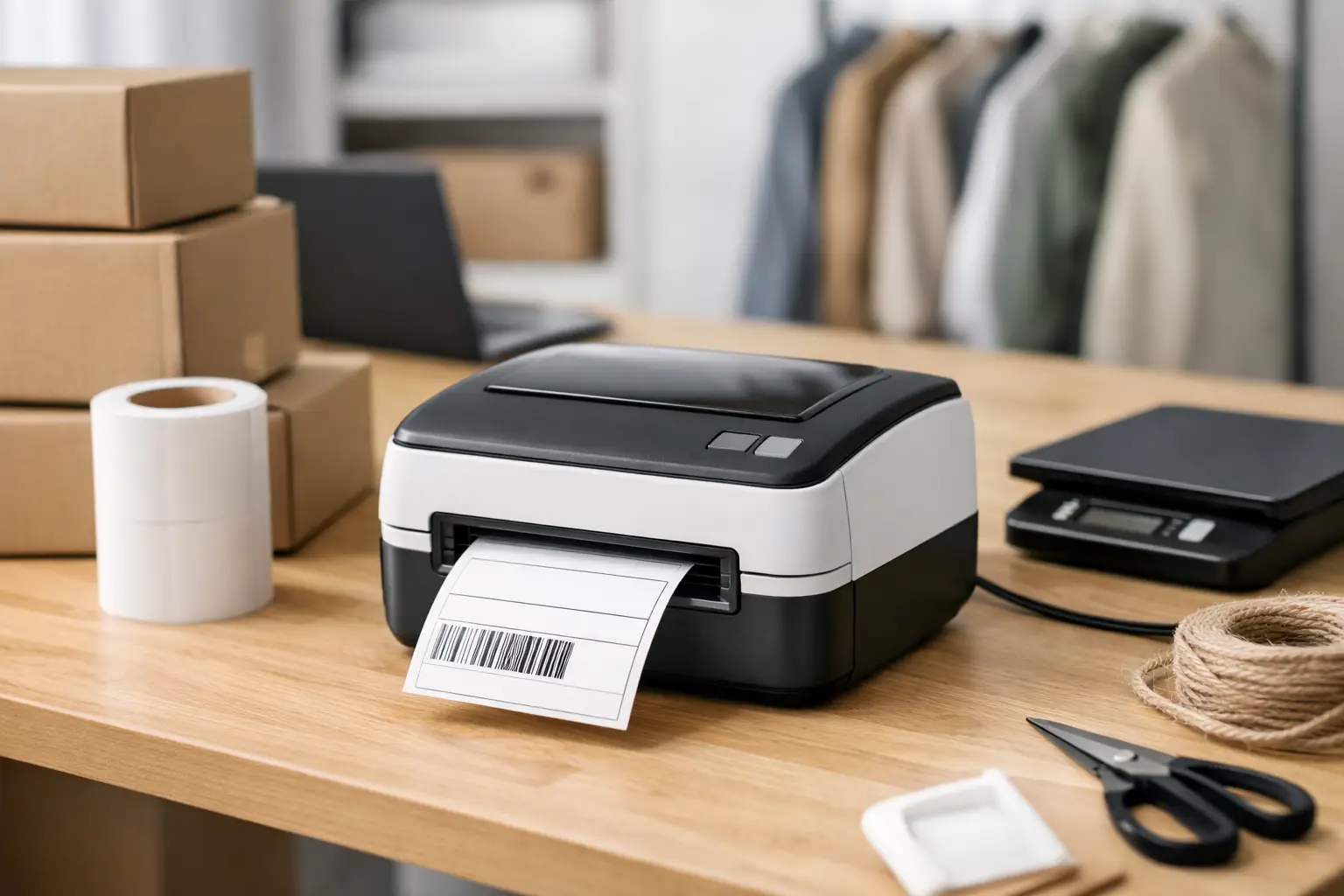
If you sell on Whatnot, your printer choice gets real the second your first stack of sold orders hits. The best shipping label printer for Whatnot is not the fanciest one on the internet. It is the one that prints fast, stays connected, does not eat labels, and does not make you cuss during a live-selling rush.
That usually means a 4x6 direct thermal label printer. Not an inkjet. Not a regular office printer unless you enjoy buying paper, tape, ink, and new reasons to be annoyed. Whatnot sellers need speed and low drama. A good label printer gives you both.
What makes the best shipping label printer for Whatnot?
Whatnot shipping is pretty straightforward, but your workflow can get messy fast. You might be printing one label after a show, or fifty. You might work from a phone, a laptop, or both. You might ship trading cards today and hoodies tomorrow. The right printer needs to keep up without turning fulfillment into a side quest.
For most sellers, the sweet spot is a direct thermal 4x6 printer. Direct thermal means no ink and no toner. The printer uses heat to create the image on the label. Fewer supplies, fewer moving parts, fewer headaches. That is a big deal when every shipment is already costing you time and postage.
A 4x6 format matters because it is the standard label size for most shipping workflows. You can use half-sheet labels on a regular printer, sure, but that setup tends to feel fine right up until volume picks up. Then it starts feeling cheap in the bad way.
The other big factor is compatibility. The best shipping label printer for Whatnot should play nicely with PDFs, marketplace labels, and your device setup. If you mainly print from a desktop, you have more options. If you need mobile printing, especially from an iPhone or iPad, you need to check that before buying. A lot of sellers skip that step and end up with a printer that looks great in the listing and acts like a brick at home.
Thermal vs. regular printers for Whatnot sellers
Here is the no-BS version. Thermal wins for most Whatnot sellers.
A regular inkjet or laser printer can print shipping labels, especially if you are just starting out and trying not to spend money too early. That is fair. If you ship a handful of packages a week, using a standard printer with label paper might be good enough for now. The problem is that "good enough for now" has a way of hanging around long after it should have been replaced.
Thermal printers cost more upfront, but they are usually cheaper over time. No ink. No toner. Faster output. Less label alignment nonsense. Less waste. If you ship regularly, the math gets pretty obvious.
There is a trade-off, though. Some thermal printers are dead simple but only work well on desktop. Others offer Bluetooth but can be pickier about setup. If you are a low-volume seller who already owns a solid laser printer, it is not crazy to keep using it until sales justify the upgrade. But if you are asking what the best tool is, not what the cheapest starting point is, thermal is the answer.
The printer types worth considering
You do not need a giant warehouse machine. You need the right kind of machine.
Desktop 4x6 thermal printers are the standard pick for Whatnot. They fit on a table, print quickly, and handle normal seller volume without issue. This is the lane most sellers should stay in.
Bluetooth thermal printers are great if you rely on a phone or tablet. That freedom is nice, especially if your packing area is not next to a computer. But Bluetooth models can be less consistent depending on the brand, app quality, and your device. Convenience is awesome until pairing turns into a weekly ritual.
Commercial-grade thermal printers exist too, but many Whatnot sellers do not need them. They make sense if you are shipping at higher volume every day and want stronger build quality, faster print speeds, and heavier-duty internals. Otherwise, you are paying for muscle you may never use.
Features that actually matter
Print speed matters, but not in the macho-spec-sheet way. If a printer saves you a second or two per label, that adds up when you are clearing a post-show order pile. More important than raw speed is consistency. A slightly slower printer that feeds labels correctly every time is better than a "fast" one that jams when you are tired and behind.
Connection options matter a lot. USB is usually the most stable. Ethernet is great if you have a fixed station and want network access. Bluetooth is useful, but only if the brand has decent software and reliable mobile support. This is where cheap printers often fall apart.
Label support is another quiet dealbreaker. Most Whatnot sellers should stick with 4x6 labels, and the printer should handle standard fanfold or roll labels without being overly picky. Some printers are weirdly selective about label stock. That can turn bargain labels into wasted labels.
Setup should be boring. That is a compliment. The best printer is one you forget about because it just works. If reviews keep mentioning driver issues, calibration headaches, or random disconnects, pay attention.
Best shipping label printer for Whatnot sellers by situation
If you want the safest overall choice, get a reliable 4x6 direct thermal desktop printer with USB and solid driver support. This is the best fit for the average Whatnot seller working from a laptop or desktop. It is fast, dependable, and built for exactly this kind of job.
If you need mobile flexibility, a Bluetooth 4x6 thermal printer can be the better fit. Just be honest about your patience for setup. Some mobile-friendly models are genuinely smooth. Some are the technological equivalent of "works on my machine."
If you are brand new and cash is tight, your current laser printer can hold you over if it prints clean barcodes and you use quality half-sheet labels. That is the budget answer. It is not the best long-term answer, but it can get you moving without another purchase.
If you are shipping a lot every week, step up to a better-built thermal unit from a known label printer brand. You want durability, faster throughput, and fewer interruptions. Time is money, and fulfillment chaos is expensive even when nobody sends you an invoice for it.
Common mistakes when buying a Whatnot label printer
The first mistake is buying based only on price. Cheap printers can be fine, but some are cheap because support is terrible, setup is clunky, and replacement parts might as well live on another planet. Saving money upfront is nice. Saving money while keeping your sanity is better.
The second mistake is ignoring your actual workflow. If you print everything from a MacBook, buy for that. If you run your business from your phone, buy for that. Do not assume every printer works equally well across Windows, Mac, iPhone, Android, and tablets. They do not.
The third mistake is underestimating volume. A printer that feels fine at five labels a week can feel painfully flimsy at fifty. Whatnot selling has a habit of growing in bursts. Buy for the seller you are becoming, not just the one you were last month.
The fourth mistake is forgetting the full cost. Labels, replacement parts, support, and wasted time all count. So does the ability to print clean labels that scan the first time. A cheap printer that creates delivery issues is not a deal. It is a coupon for future pain.
How your shipping software affects the experience
Even a great printer cannot fix a messy shipping process. If you are copying rates manually, checking carriers one by one, or bouncing between tabs just to buy postage, your bottleneck is not the printer anymore.
That is where your shipping stack matters. A good setup lets you compare rates fast, buy labels without friction, and send clean 4x6 labels straight to your printer. That is the whole game - less clicking, less guessing, less money wasted. If you use a shipping platform like The Shipping Dude, the goal is simple: see the best rates first, print fast, move on.
So what should most Whatnot sellers buy?
Most sellers should buy a 4x6 direct thermal desktop label printer with reliable USB connectivity, broad compatibility, and a strong track record for easy setup. That is the practical answer. It is the sweet spot between cost, speed, and low-maintenance performance.
If mobile printing is a must-have, prioritize a Bluetooth model from a brand with proven app support, not just flashy marketing. If you are still testing the waters, use your regular printer for a bit and upgrade when order volume starts exposing the cracks.
A good shipping label printer will not make bad shipping habits disappear. But it will make your Whatnot workflow faster, cheaper, and way less annoying. And when you are packing orders after a long live session, that is not a small win. That is the kind of boring little upgrade that keeps your business moving.
