Best Shipping Label Printer for Small Business
Find the best shipping label printer for small business needs. Compare thermal options, costs, speed, and features before you buy.
June 28, 2026
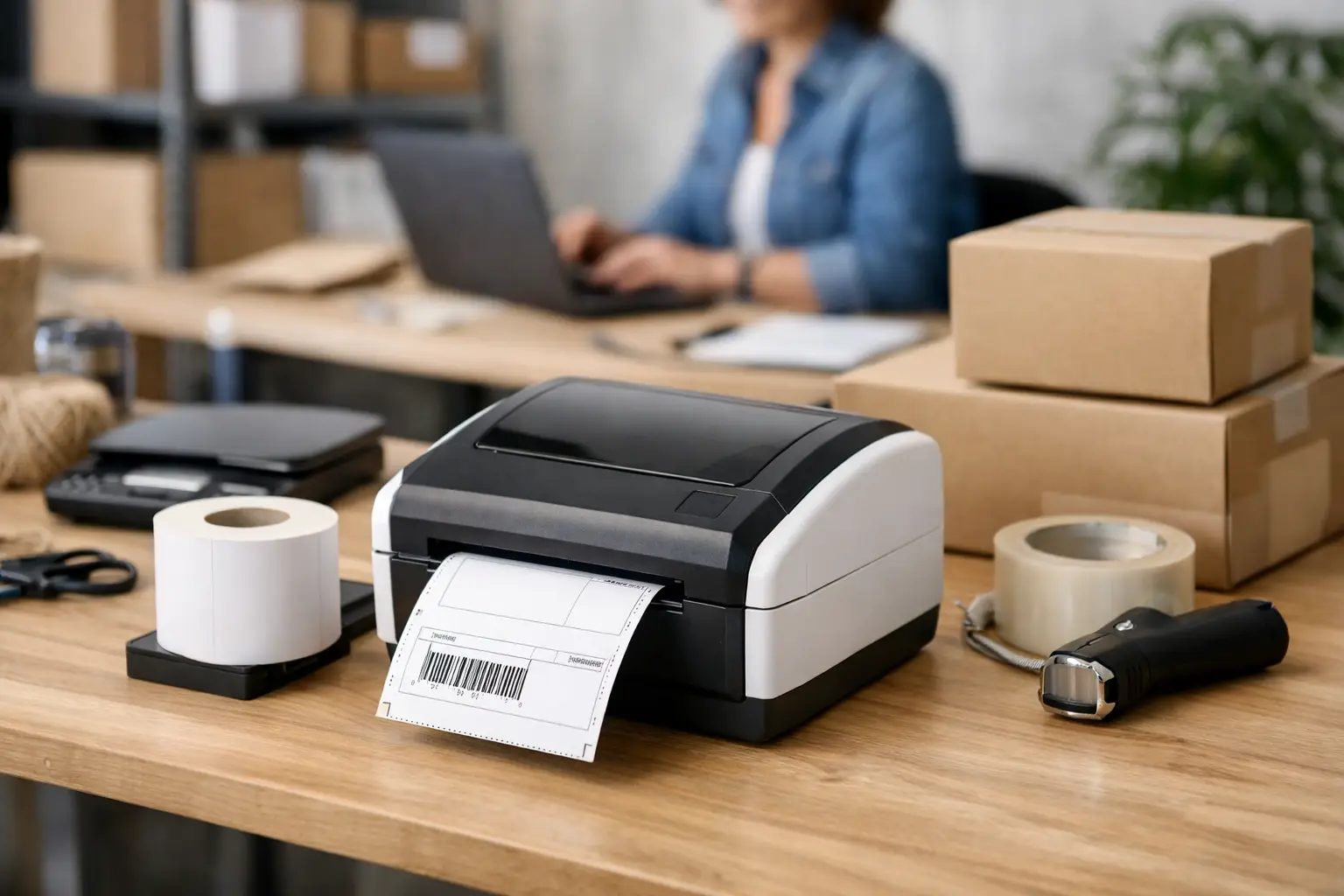
That cheap office printer feels fine right up until order number 37 of the day jams, smears, or starts begging for more ink. If you ship more than a handful of packages a week, finding the best shipping label printer for small business use stops being a nice upgrade and turns into a straight-up time saver.
The good news is you do not need some giant warehouse setup to print labels like a pro. Most small sellers need one thing - a reliable thermal printer that spits out 4x6 labels fast, without ink cartridges, drama, or weird formatting issues. The tricky part is choosing the right one for your volume, budget, and workspace.
What actually makes the best shipping label printer for small business?
Let’s cut through the fluff. The best printer is not the one with the fanciest spec sheet. It is the one that prints clean labels every time, plays nice with your shipping software, and does not become another expensive gadget collecting dust next to the packing tape.
For most ecommerce sellers, thermal printing is the move. Direct thermal printers use heat instead of ink or toner, which means fewer supplies to buy and fewer things to go wrong. If your labels are used for shipping and not long-term archival storage, direct thermal is usually perfect.
That said, there are trade-offs. Thermal labels can fade over time if exposed to heat or sunlight. For outbound parcel labels, that is rarely a real issue because the label only needs to survive the trip. If you are printing product labels, shelf tags, or labels that must last for months, that is a different conversation.
The real decision usually comes down to four things: print quality, speed, connectivity, and total cost. Not sticker price alone - total cost. A bargain printer that constantly misfeeds labels or disconnects from Wi-Fi will cost you more in wasted time than you saved on day one.
The main types of shipping label printers
If you are shopping for the best shipping label printer for small business shipping, you will usually land in one of three camps.
Desktop direct thermal printers
This is where most small businesses should start. These printers are compact, affordable, and built for 4x6 shipping labels. They are ideal for daily order volume that ranges from a few shipments to a few hundred, depending on the model.
They also hit the sweet spot for online sellers. You get fast printing, no ink costs, and simple setup. If you are printing USPS, UPS, or FedEx labels through shipping software, this is usually the no-brainer option.
Mobile label printers
These are handy if you work in a small warehouse, move around a lot, or print from a phone or tablet. They are not usually the first choice for a fixed packing station because they tend to be slower, smaller, and pricier for what you get.
Still, if your workflow is flexible and portability matters more than raw speed, they can make sense.
Laser or inkjet office printers
Can you use one? Sure. Should you, if you ship regularly? Usually no. You will deal with paper waste, tape, ink costs, and slower handling. For occasional shipping, fine. For real volume, it is a productivity tax wearing business-casual clothes.
Features that matter more than the marketing copy
Speed matters, but only up to a point. If you print 20 labels a day, shaving one second off each print is not life-changing. Reliability is. A printer that works every single time beats one that is theoretically faster but acts possessed whenever the Wi-Fi hiccups.
Resolution is another spec people overthink. Most shipping labels print perfectly well at 203 dpi. You do not need museum-grade detail for a carrier barcode. Higher resolution can help with tiny text or certain specialty labels, but for standard parcel shipping, 203 dpi is usually enough.
Connectivity matters a lot more than many sellers expect. USB is simple and reliable. Ethernet is great for shared workstations. Wi-Fi sounds convenient, but it can be annoying if setup is clunky or the connection is flaky. Bluetooth can be useful for mobile workflows, though it is not always the best fit for a busy packing table.
Label compatibility is another big one. Some printers lock you into proprietary labels, and that is where the long-term cost can sneak up on you. Others work with generic roll labels, which gives you more pricing flexibility and less brand-name hostage energy.
The top printer categories worth your money
There is no single winner for everybody, but there are clear winners by use case.
Best for beginners on a budget
An entry-level direct thermal desktop printer is usually the smartest buy. You want something with USB connectivity, support for standard 4x6 labels, easy driver setup, and a decent reputation for reliability. This kind of printer is perfect for sellers shipping from Etsy, eBay, Amazon, Shopify, or their own site.
If your order volume is still modest, skip the fancy extras. Get a printer that does the basics well and spend the rest on better labels, shipping supplies, or software that helps you compare rates.
Best for growing ecommerce brands
Once you are shipping enough orders that every minute matters, it is worth moving up to a more durable desktop thermal printer. Look for faster print speeds, stronger build quality, and better support for multiple connection types.
This is where the difference between cheap and cheap-looking starts to matter. A more solid printer tends to handle daily abuse better, especially when multiple people are using it.
Best for higher-volume fulfillment setups
If you are cranking through large daily batches, you need consistency more than anything. Industrial-grade or heavy-duty desktop thermal printers cost more up front, but they are built for repetitive use and usually have fewer meltdown moments.
At that level, workflow matters as much as hardware. A good printer paired with batch label creation and carrier rate comparison saves way more money than just buying the fastest machine in the room.
Popular brands sellers usually compare
Most small businesses end up looking at Rollo, Zebra, Brother, and DYMO. That makes sense, but they are not all playing the same game.
Rollo tends to be popular with ecommerce sellers because it is straightforward, widely used, and works well for standard shipping labels. Zebra has a strong reputation for durability and shows up a lot in warehouse and professional environments, though some models can feel pricier or more technical for beginners.
Brother makes solid printers, but not every model is aimed at shipping labels, so you need to pay attention to size compatibility. DYMO can be convenient, but some sellers get frustrated by label restrictions or higher media costs depending on the model.
This is where it pays to think beyond the box. The best shipping label printer for small business use is not always the one with the loudest fan club. It is the one that fits your label size, shipping volume, software setup, and supply budget without turning simple tasks into a scavenger hunt.
How to choose without wasting money
Start with your actual shipping volume, not your future fantasy volume. If you ship ten packages a week, do not buy like you run a distribution center. If you are already shipping 150 a day, do not pretend a bargain-bin unit will keep up forever.
Then look at your workspace. A small desk setup favors compact desktop models. A shared packing station may need Ethernet or stronger multi-user support. If you print from one computer and want maximum stability, USB is often the easiest path.
Next, check software compatibility. Your printer should work smoothly with the tools you already use to buy and print labels. A solid shipping platform can do a lot of heavy lifting here by formatting labels correctly, batching orders, and helping you compare USPS, UPS, and FedEx rates before you print. Hardware matters, but a messy shipping workflow can still waste your day. That is part of why sellers use platforms like The Shipping Dude - less clicking around, more getting labels out the door.
Finally, price out the labels. This part gets ignored all the time. A printer that saves you $40 upfront but forces pricey proprietary labels can quietly drain your margins for months.
The no-BS recommendation
For most small businesses, the best move is a 4x6 direct thermal desktop printer that supports generic labels and connects by USB. That setup is affordable, simple, and fast enough for the vast majority of sellers.
If you are scaling hard, spend more for durability and better connectivity. If you are just getting started, do not overbuy. The right printer should make shipping easier, not become another project.
A good label printer will not fix bad shipping rates, clunky fulfillment, or bloated software fees. But paired with a smart workflow, it will save time every single day. Buy the printer that fits the way you ship right now, and let your setup earn the upgrade later.
