Best Shipping Label Printer for eBay Sellers
Find the best shipping label printer for eBay sellers with honest picks, real trade-offs, and smart advice on speed, cost, and setup.
June 30, 2026
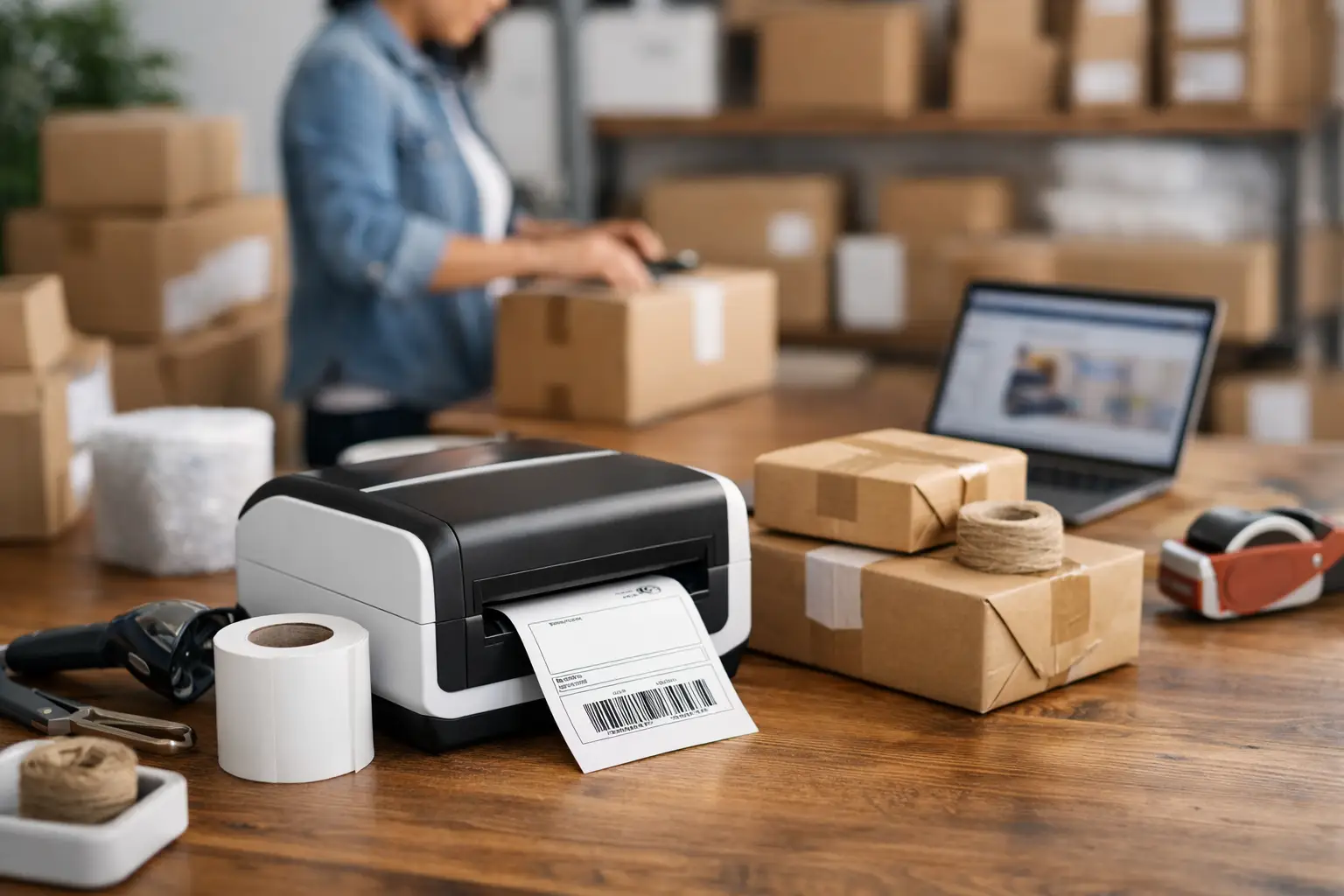
If you are still taping half-sheet labels to boxes while your eBay orders stack up, your printer is costing you more than it looks. Time, tape, ink, crooked labels, reprints - that stuff adds up fast. Finding the best shipping label printer for eBay sellers is really about one thing: getting packages out the door without turning your shipping station into a daily annoyance.
For most eBay sellers, the right printer is not the fanciest one. It is the one that prints clean 4x6 labels fast, works with your setup, and does not nickel-and-dime you on supplies. That means you need to think less about flashy specs and more about volume, connection options, label costs, and whether you want wireless convenience or dead-simple reliability.
What actually matters in the best shipping label printer for eBay sellers
Start with label size. If you ship more than a few packages a week, a dedicated 4x6 thermal printer usually beats a standard office printer by a mile. Thermal printers do not use ink or toner, so you are not burning money every time you print a label. They are faster, cleaner, and built for this exact job.
Then there is direct thermal versus inkjet or laser. Inkjet and laser printers can work if you are just getting started, especially if you already own one. But they are slower for shipping workflows, and you still have to deal with paper, toner, or ink. Direct thermal printers are the usual winner for eBay sellers because they print labels with heat, not cartridges. Less fuss. Less mess. Less money disappearing into office supply runs.
Connection type matters more than most sellers think. USB is boring, but boring is often good. It tends to be the easiest and most stable option for desktop shipping stations. Bluetooth and Wi-Fi sound great, and sometimes they are, especially if you print from a phone or a laptop that moves around. But wireless can also mean extra setup headaches. If your whole shipping routine depends on one label printing right now, stable beats fancy every time.
Print speed matters too, but only up to a point. If you ship ten orders a day, shaving one second off each label is not life-changing. If you ship a few hundred, speed starts to matter a lot more. The same goes for build quality. A casual seller can get away with a lighter-duty unit. A serious reseller needs something that can take daily abuse without acting dramatic.
The top printer types for eBay sellers
Best for most sellers - 4x6 desktop thermal printers
This is the sweet spot. A standard desktop thermal printer is usually the best shipping label printer for eBay sellers because it balances cost, speed, and ease of use. You load a roll or stack of 4x6 labels, hit print, and move on with your life.
These printers are ideal for sellers shipping clothing, collectibles, electronics, books, or just about anything else that goes into a poly mailer or box. They work especially well if you buy postage online and want a clean label every single time. No trimming. No taping a sheet to the box like it is 2009.
The trade-off is upfront cost. A decent thermal printer costs more than using the inkjet you already own. But if you ship regularly, that cost gets paid back pretty quickly through saved time and no ink purchases.
Best budget path - use your existing laser printer
If your order volume is low, using a laser printer with adhesive half-sheet labels is still a reasonable move. It is not glamorous, but it works. For new eBay sellers testing the waters, that may be enough for now.
The catch is workflow friction. You will print slower, spend more on consumables over time, and deal with more manual steps. That is fine when you are shipping five packages a week. It gets old real fast when the count jumps to twenty or fifty.
Best for mobile setups - wireless thermal printers
If you print labels from a phone, tablet, or a laptop that is not always docked, wireless thermal printers are worth a look. They can make a small workspace feel a lot cleaner, and they are handy if your packing table is not right next to your computer.
But here is the no-BS part: some wireless printers are awesome, and some are little chaos goblins. They work great until they suddenly do not. If you go wireless, make sure the printer has a strong reputation for easy setup and stable connections with the devices you actually use.
Features worth paying for and features that are mostly fluff
A printer does not need to be fancy to be useful. It needs to print labels consistently and not become the weakest link in your shipping process.
Auto label detection is genuinely helpful. It cuts down setup mistakes and makes switching label types easier. Decent print resolution matters too, especially for barcodes. You do not need museum-quality output, but you do need clear, scannable labels.
Compatibility with shipping platforms matters more than a flashy app. If you are printing through eBay, your shipping software, or both, the printer should play nicely without workarounds. This is where sellers can save time by using software that compares USPS, UPS, and FedEx rates in one place and spits out labels fast instead of forcing carrier-by-carrier nonsense.
What is less important? Tiny differences in speed, overdesigned touchscreens, and marketing buzzwords that sound expensive. You are not buying a spaceship. You are buying a machine that prints rectangles.
How to choose the best shipping label printer for eBay sellers based on volume
If you ship fewer than 10 packages a week, keep it simple. Your existing printer may be enough, especially if cash is tight. Just know that this setup has a ceiling.
If you ship 10 to 50 packages a week, it is probably time for a dedicated thermal printer. This is the point where convenience starts turning into actual margin. Faster label printing means faster fulfillment, fewer mistakes, and less time stuck doing repetitive admin work.
If you ship more than 50 packages a week, stop messing around. You want a reliable 4x6 thermal printer from a brand with a solid track record, easy driver support, and affordable labels. At that volume, downtime is expensive. Saving a few bucks on a sketchy printer can cost you a lot more when it starts misfeeding labels during your busiest hour.
Common mistakes eBay sellers make when buying a label printer
The first mistake is buying based on price alone. Cheap can be fine. Cheap and unreliable is a money pit wearing a discount sticker.
The second mistake is ignoring label costs. Some printers are affordable upfront but push you toward overpriced proprietary labels. That is where the real damage happens. A good printer should let you keep supply costs sane.
The third mistake is overbuying. If you ship a handful of packages each week, you probably do not need an industrial unit built for warehouse volume. Bigger is not always better. Sometimes it is just louder and more expensive.
The fourth mistake is forgetting your actual workflow. Do you print from a Mac or PC? Do you use a Chromebook? Do you need phone printing? Are you working from a garage table, spare bedroom, or dedicated warehouse? The best choice on paper can still be the wrong choice if it does not fit how you actually work.
So what should most eBay sellers buy?
For most sellers, the best move is a reliable 4x6 direct thermal desktop printer with USB connectivity, good platform compatibility, and the freedom to use affordable third-party labels. That setup hits the sweet spot for speed, cost control, and low maintenance.
If you want the safest bet, prioritize reliability over clever extras. If you need mobility, add wireless, but only from a printer with a reputation for stable performance. If you are brand new and shipping on a shoestring, start with your existing printer and upgrade once your order volume proves it is worth it.
A label printer will not magically fix bad shipping habits. But paired with smart shipping software, it can cut a lot of friction out of your day. That is where the real win is. Less clicking around. Less overpaying for postage. Less time fighting your tools. The Shipping Dude lives in that lane for a reason.
The best printer is the one that keeps your orders moving and your costs under control without adding fresh nonsense to your workflow. Pick the setup that fits your volume now, with just enough room for growth, and your future self at the packing table will be a lot less irritated.
